
When it searches
The Search button at the left, under the message box, decides when an answer uses the web, and stays as you left it.
| Auto | The default. A message that's plainly a search, like “latest PySide6 version”, is searched before the model even starts. Otherwise the model searches when it decides it needs to, even halfway through an answer. |
|---|---|
| Always | Every message is searched. |
| Research | Every message is searched as thoroughly as it can be. |
| Off | No searching. |
Search is free and needs no account or key. Settings › Web turns it off everywhere.
How much it searches
There's no “number of results” to set. Each message gets a depth when you send it. A question with one answer (“who runs Anthropic?”) gets a quick search. A question that weighs things up, like a comparison, a recommendation or a roundup, gets a deep one. Everything else gets something in between.
A deep question is split into parts first, one search per option in a comparison, for example, and a roundup of a whole field is searched from several angles. Then Mosaik checks what it found against the question and searches again for anything missing, before the model writes. It stops when the evidence is enough, when a round turns up nothing new, or when the time runs out.
Where the results come from
Each search asks several free sources at once and merges what comes back:
- SearXNG, which gathers results from ordinary search engines without an account or tracking. Mosaik keeps a list of public servers, remembers which ones answer quickly, and skips the ones that refuse.
- DuckDuckGo and Bing.
- Google News and Bing News, for what's happening now and for reviews and explainers on any subject.
- Stack Overflow for programming, Hacker News for tech, arXiv and Semantic Scholar for research papers, and Wikipedia for what something is, when the question belongs to them.
- Mojeek, as a last resort when nothing else answered.
The best pages are then read side by side, and only the passages about your question are handed to the model. Mosaik only fetches ordinary web addresses, never anything on your own network.
How sources are shown
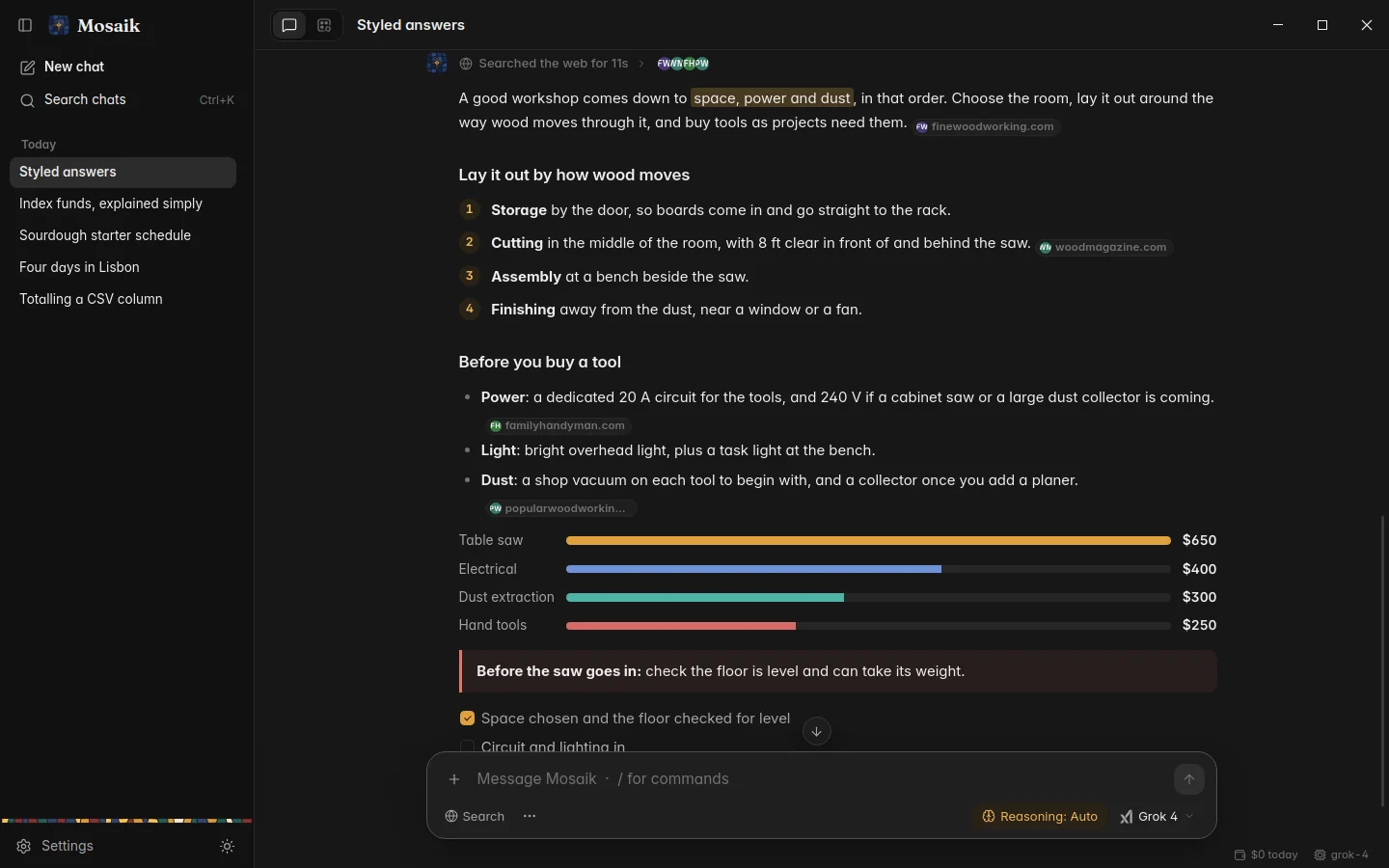
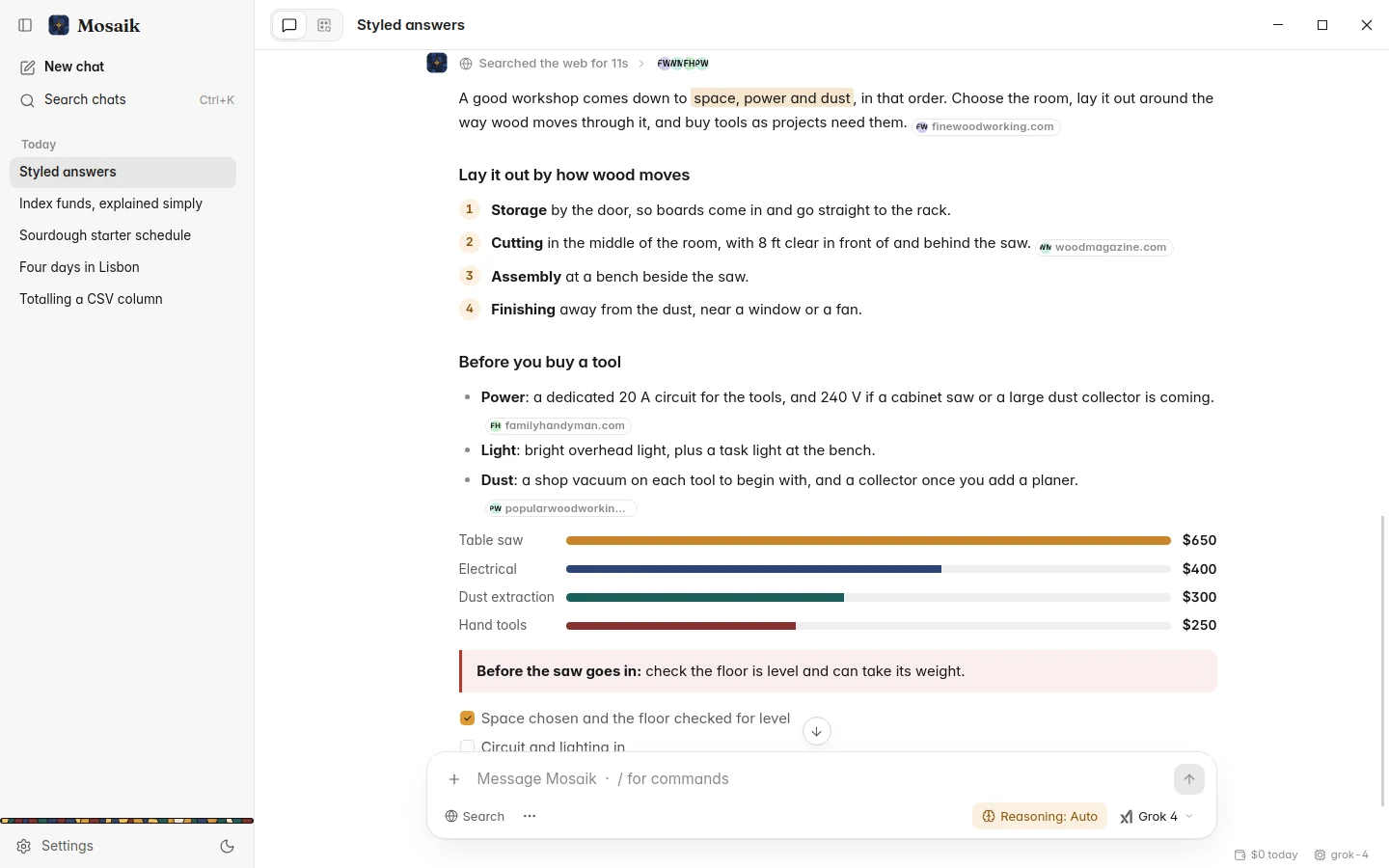
A paragraph or list item that rests on the web ends with a chip carrying the logos of the sites it cites. Point at the chip to light up the text it covers and see the exact page: its title, the site, the passage, and whether the page was read in full or only its summary.
The work line above the answer lists every search in order, with its query, its results and the pages that were read. Sources are saved with the message, so an old chat shows the same chips when you open it again.
Site logos are fetched once from each site itself and kept on your computer, so no logo service learns what you read.
Using your own SearXNG
Public SearXNG servers are shared and sometimes slow or gone. If you run your own, put its address in Settings › Web. It's tried first and never rate-limited. The quickest way to start one is Docker:
docker run -d -p 8080:8080 searxng/searxngThen use http://localhost:8080. Under Advanced you can keep
every search inside your SearXNG by turning off the other engines, and Test
search runs a real query and says who answered and how fast.
Models that can't use tools
Search works best with models that can call tools, because they can decide to look something up halfway through an answer. Models that can't still get searches: Mosaik decides for them from your message. While one of those models is selected, a Limited web search note shows in the bottom corner. Click it to open the model browser, where those models are marked No tools.
When the web can't be reached
If no search engine answers at all, the model is told the web is unreachable and answers from what it knows, saying what it couldn't check. If engines answer but about something else, the model is told to try again with better keywords. The work line says which happened.