Coming later
All your AI work in one place.
Code, writing, art and research, each as capable as the apps built only for it. Use one on its own, or bring them together in a mosaic. An optional paid add-on, further down the roadmap. Chat stays free.
Stop switching between AI apps.
Most people who use AI for real work keep a coding tool, a writing app, an image generator and a chat window open, and copy things from one to the next. Mosaics puts that work in one app. Start a session for a single job, the way you'd open any of those apps. When the work grows into a project, like a shop, a novel or an app you keep fixing, turn it into a mosaic: one folder, one plan, and one AI that keeps track of it all.
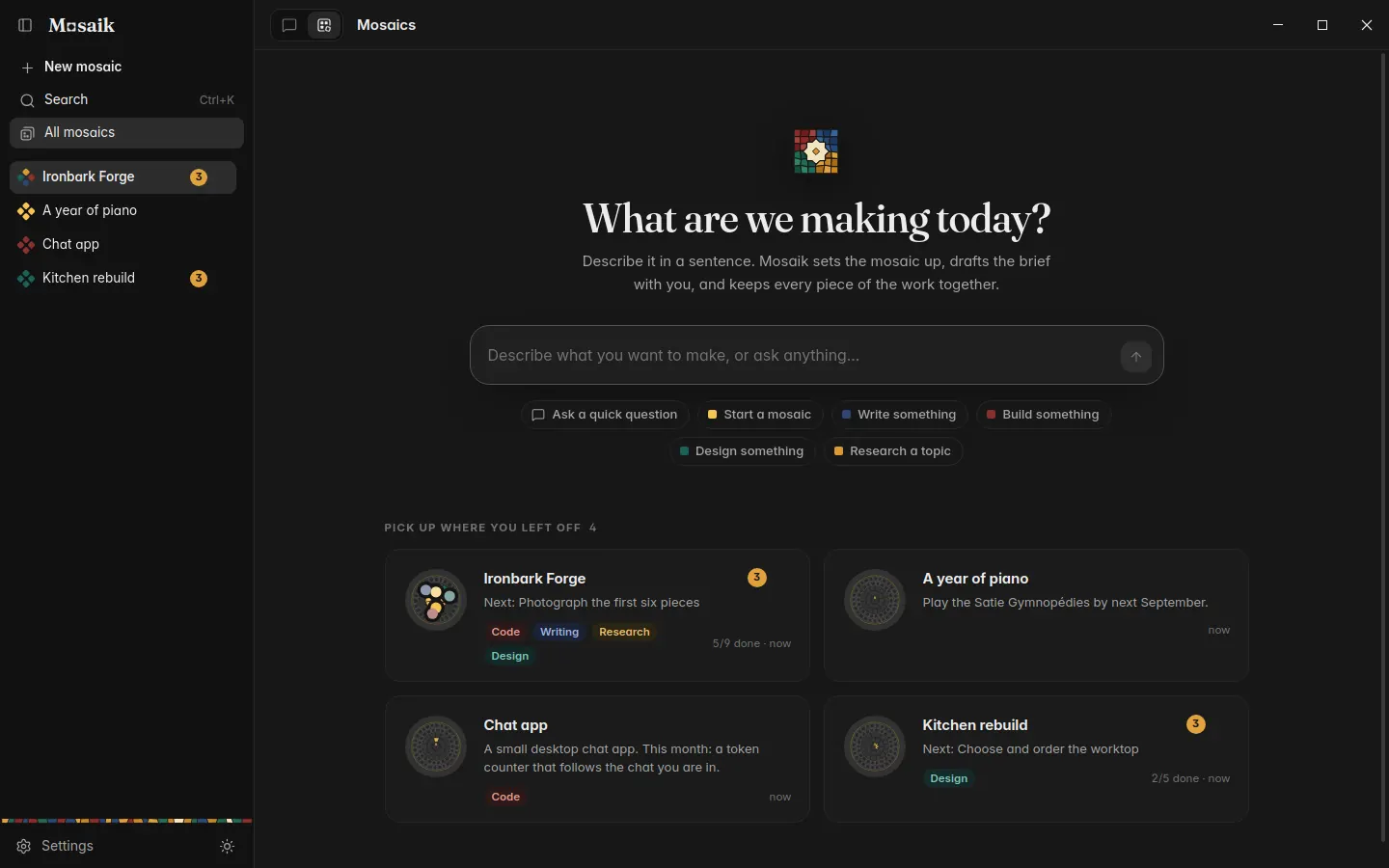
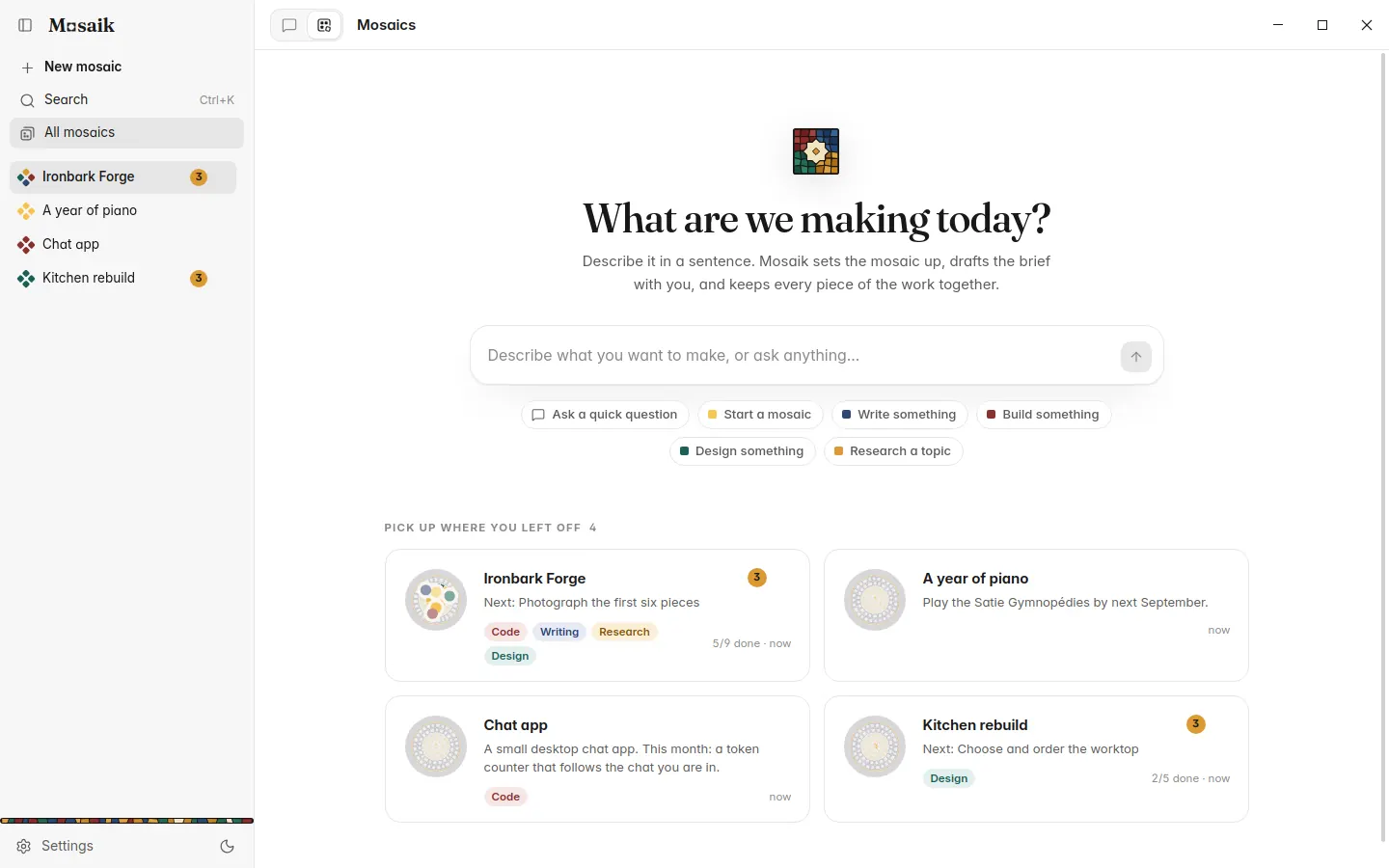
These pictures come from the version in development. Details will change before it ships.
You talk to one AI.
Every mosaic has a lead. It keeps the plan, splits the work into pieces, hands parts to specialists for writing, research, art or code, and brings back what needs you. Questions come with their answers as buttons. Suggested tasks wait for Accept or Decline. Once something is settled it folds away to a single line.
- Open for you gathers everything waiting on you in one strip
- Come back after a while and a card says what happened while you were away
- Work goes in chapters, and old chapters fold to a summary, so long projects stay cheap
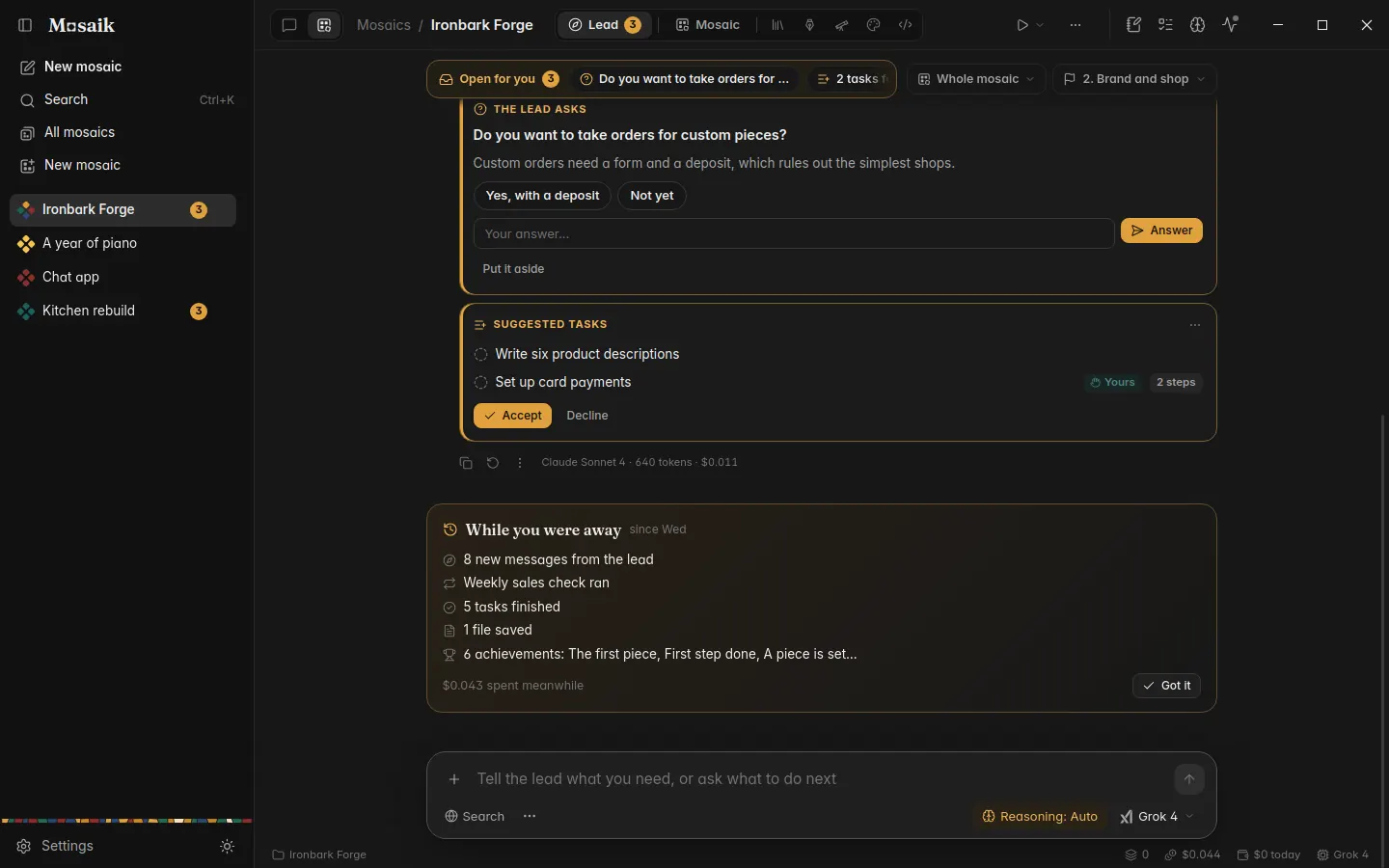
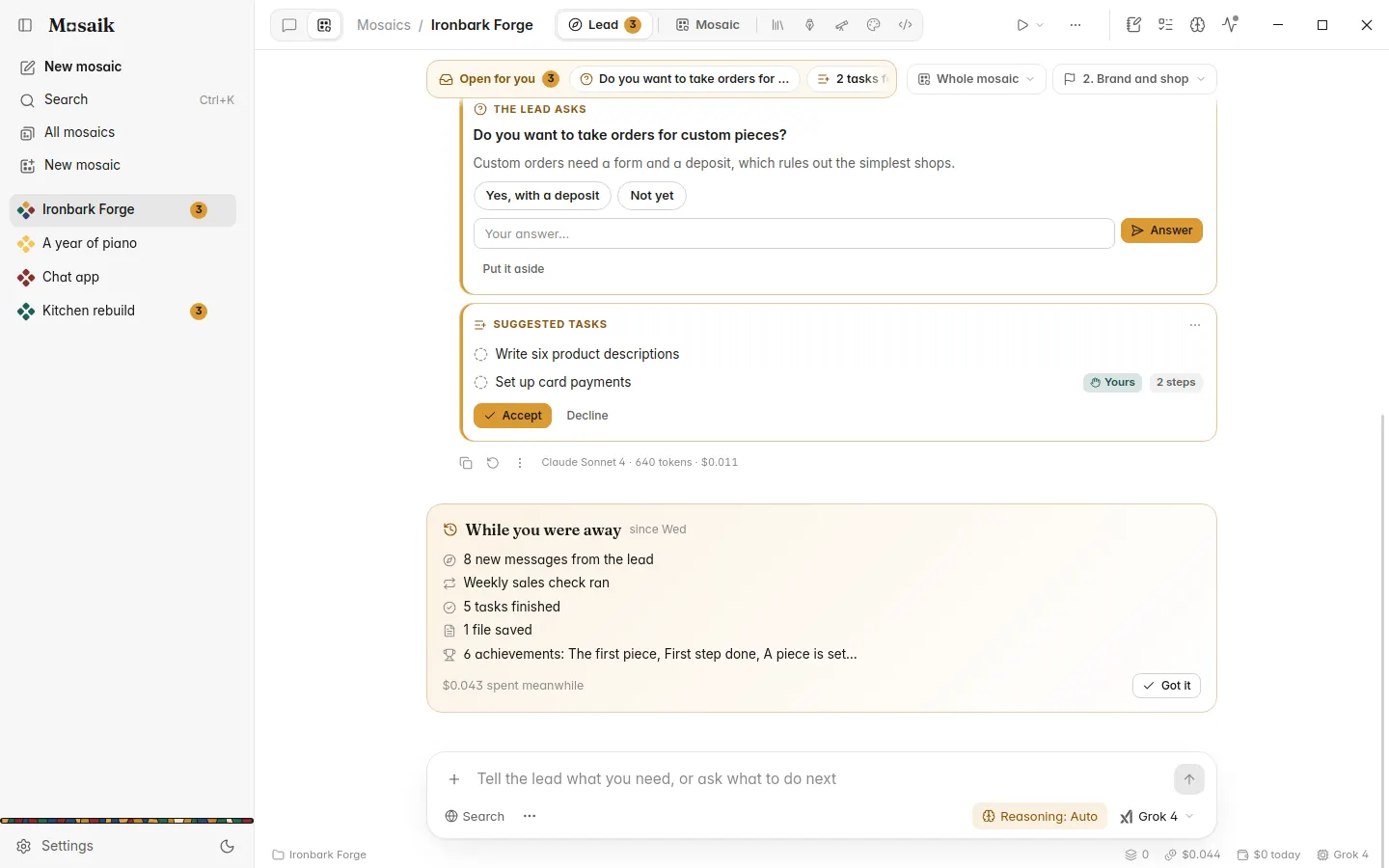
As much freedom as you give it.
Each mosaic has a pace. Asks first suggests every change and waits. Gets on with it keeps the plan up to date and tells you what it did. Autopilot also starts specialists on its own, inside a spending cap you set. Anything only you can do still waits for you.
- Every step a specialist takes is in the Log, with its model and cost
- Plans show their cost before you run them
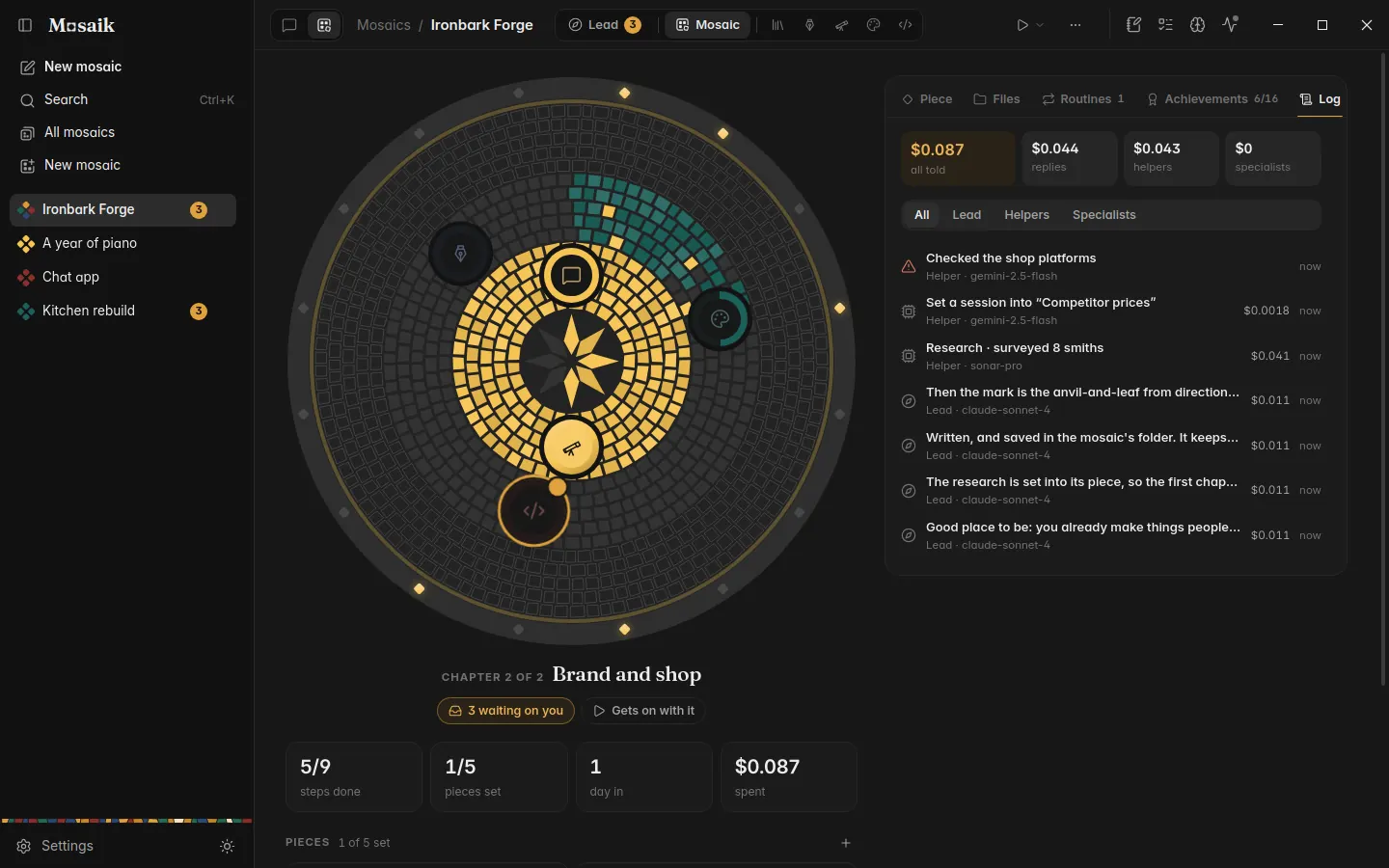
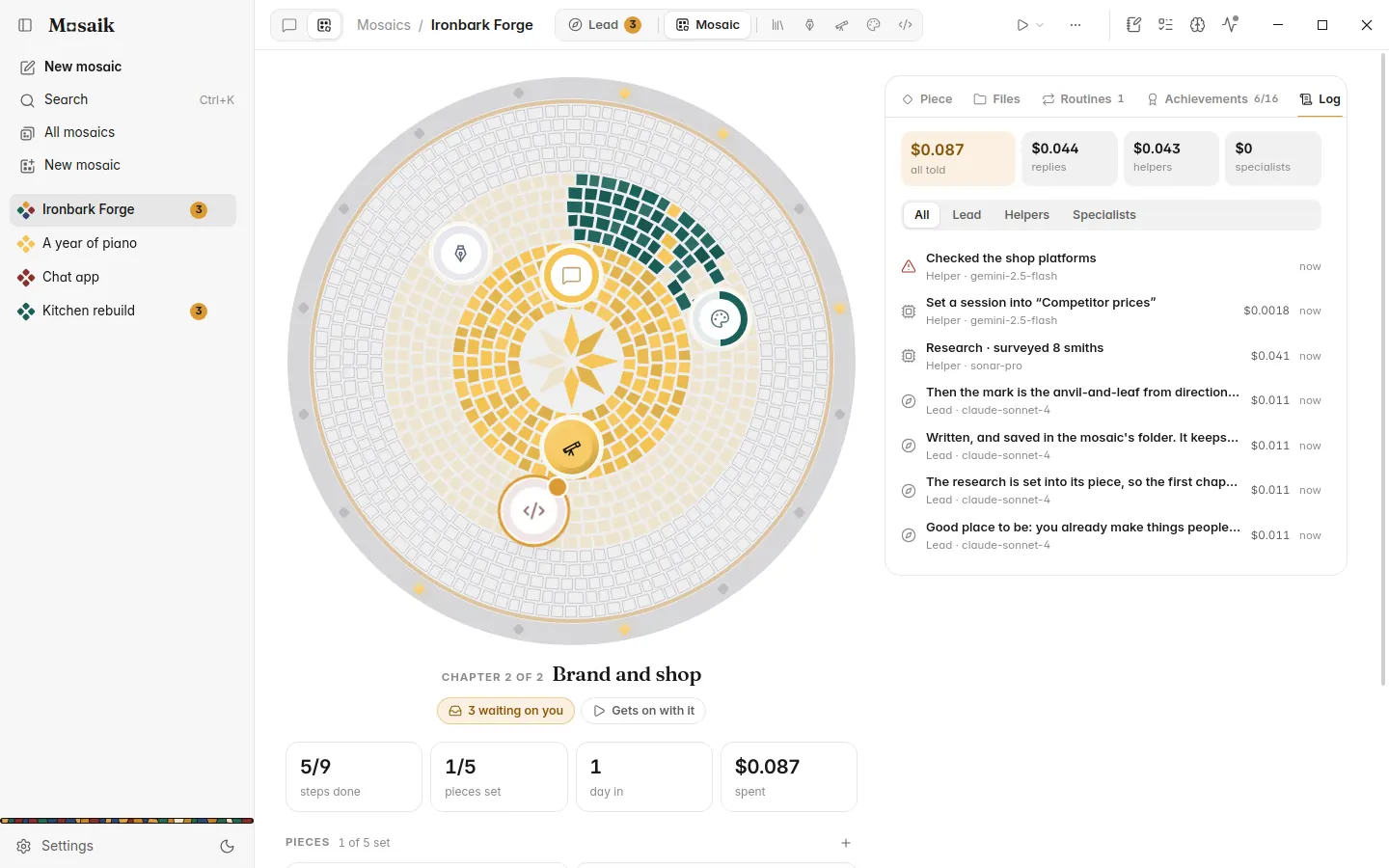
Watch it fill in.
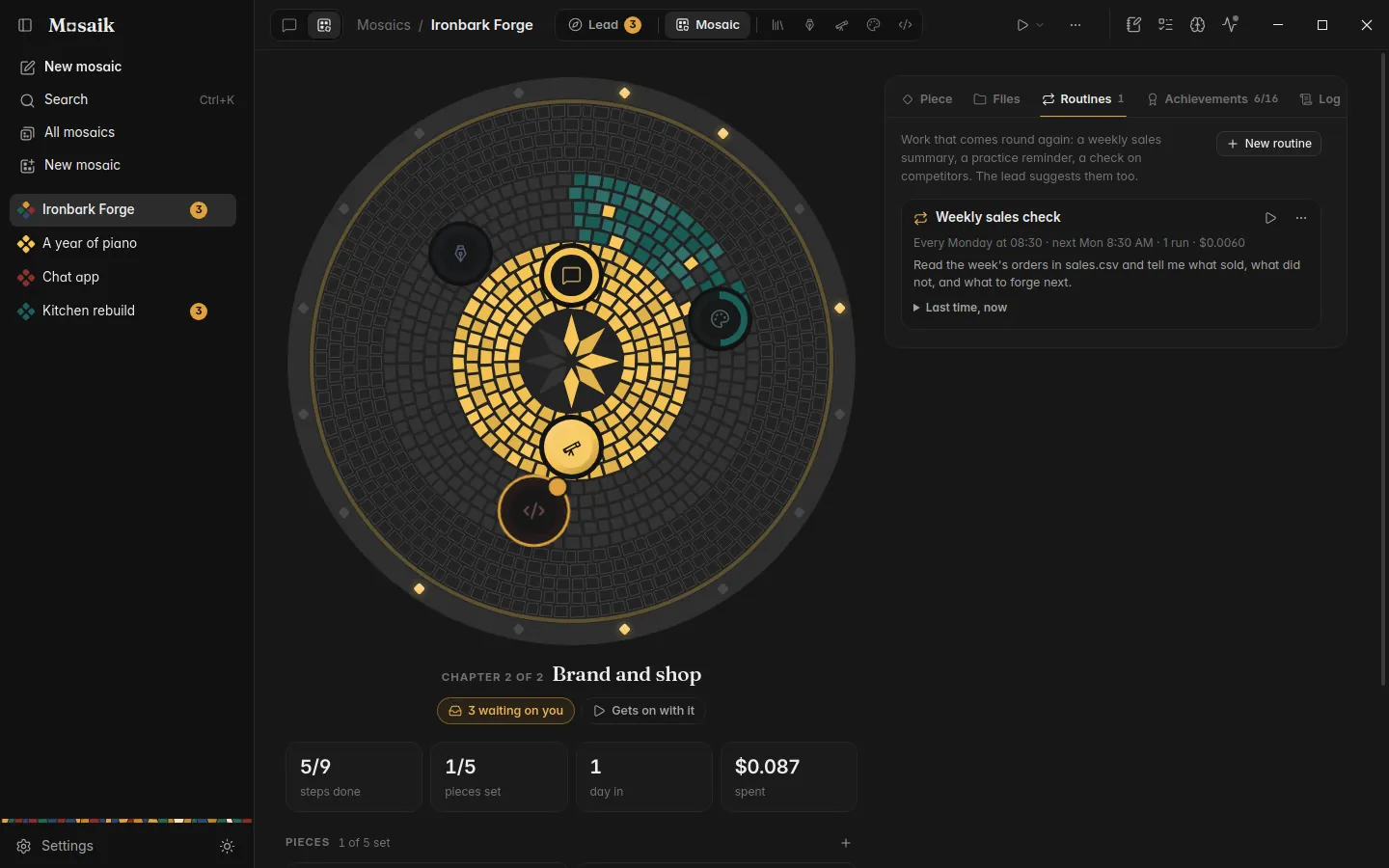
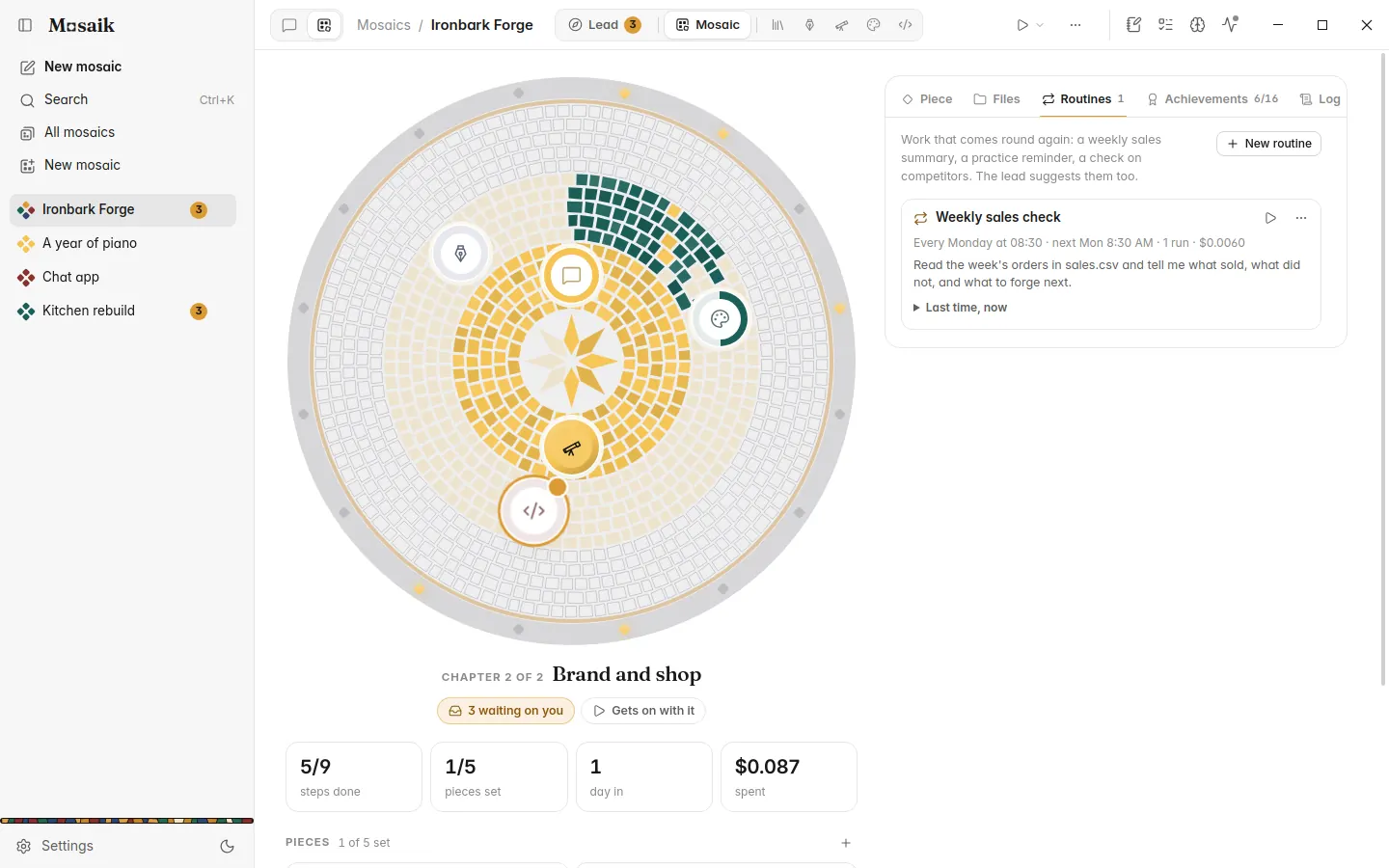
Each mosaic has a round picture that grows with the work. Every chapter is a ring of tiles, every piece a medallion on it, and achievements light up as gems around the edge. Tiles glaze as steps get done, and a medallion breathes while someone is working on it. None of it is drawn by an AI, so it only changes when the work does.
- Click a piece to see its steps, its files and where it stands
- Tabs for the piece, the files, routines, achievements and the log
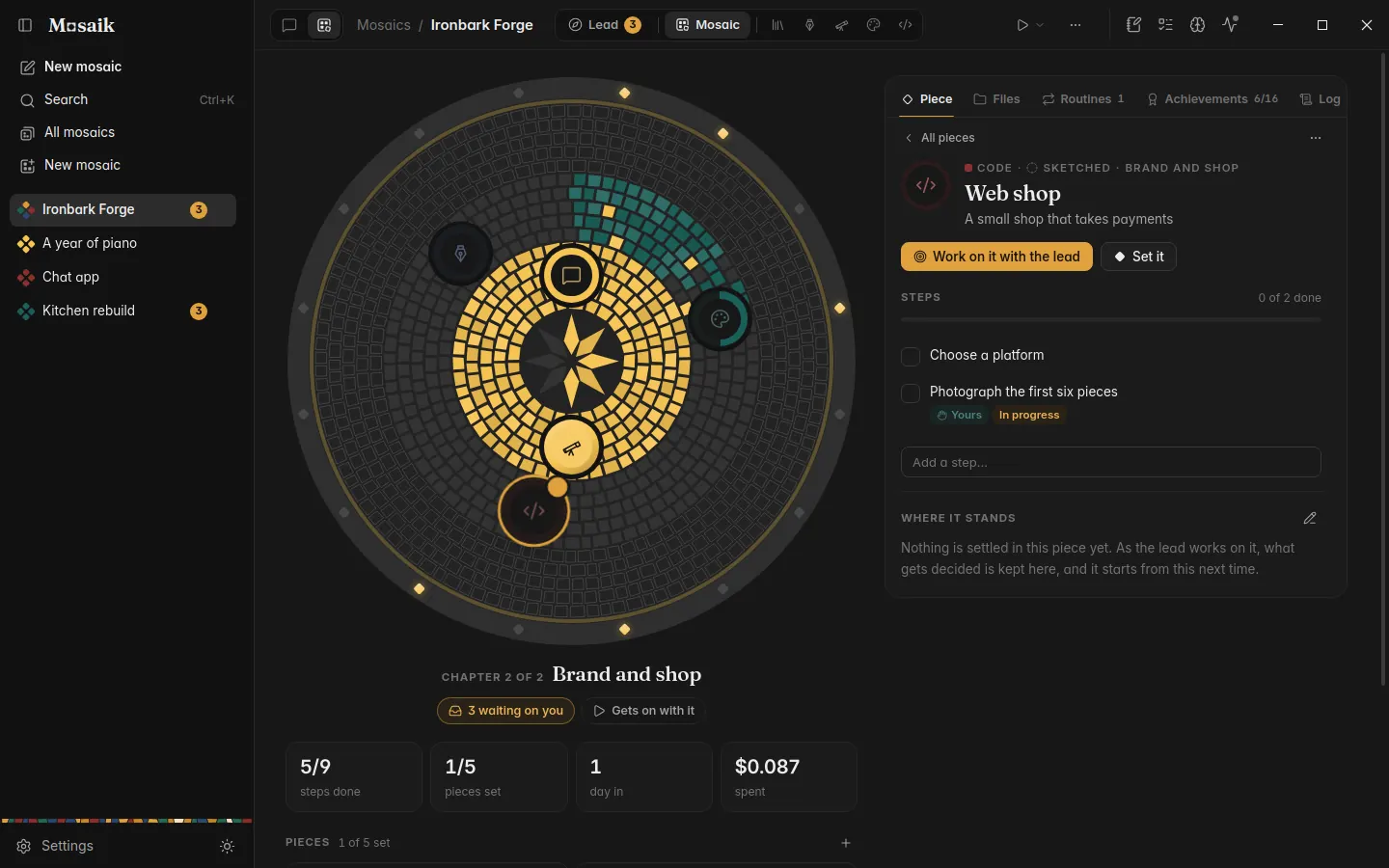
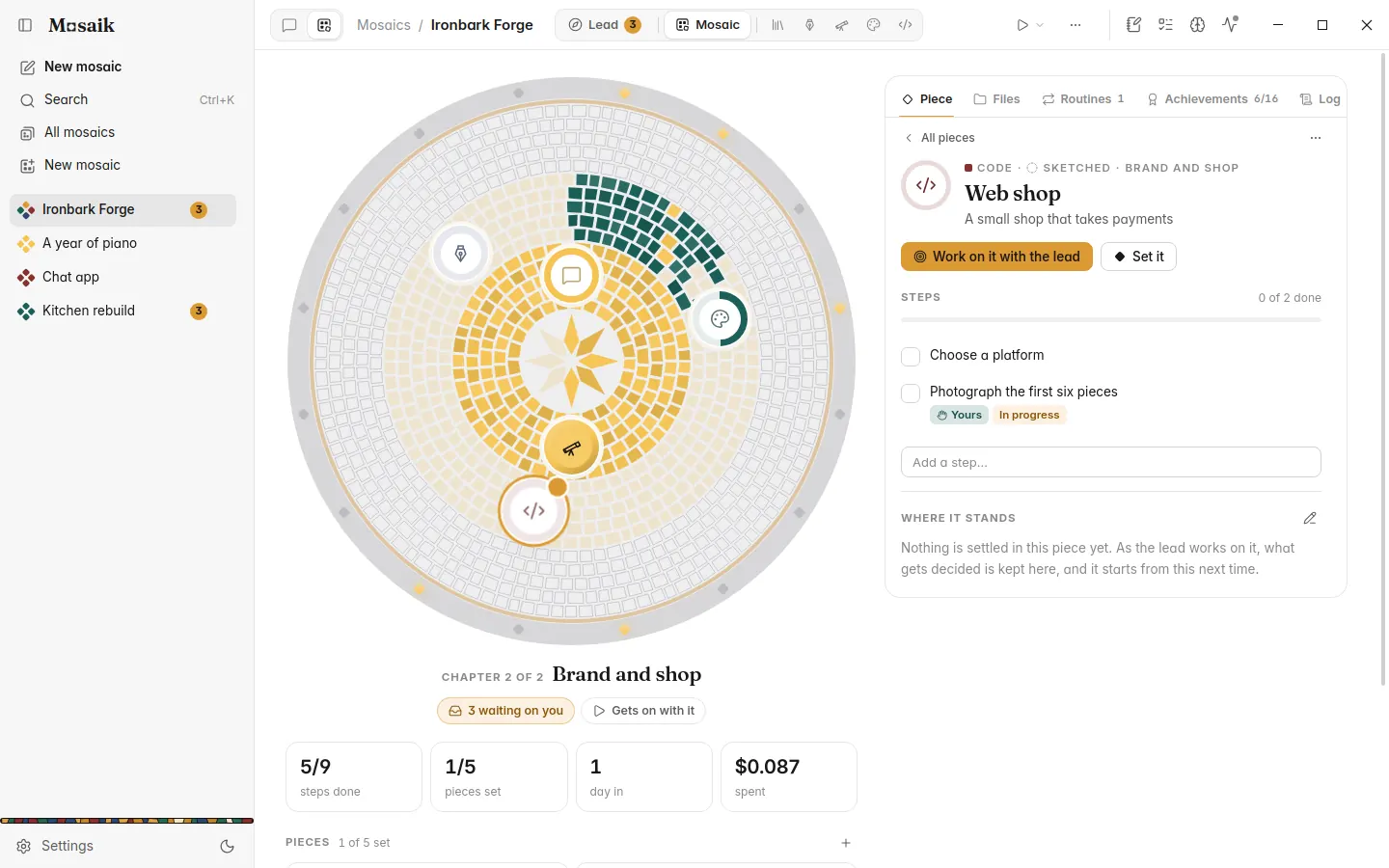
Real files, and work on a schedule.
Every mosaic gets a folder in your Documents. The lead reads and saves text files there, never outside it, and keeps the old version of anything it overwrites. Routines handle work that comes round again: a sales summary every Monday, a check on prices at the start of each month, a practice reminder on weekdays.
- Reminders cost nothing: they just put a step in Open for you
- Deleting a mosaic never deletes its folder
Tools built for each kind of work.
Writing, research, art and code each get tools made for them, meant to stand up next to the apps that do only that. Use any of them on their own. In a mosaic, the lead brings in the ones the project needs, and you don't have to set anything up.
A book that keeps its story straight.
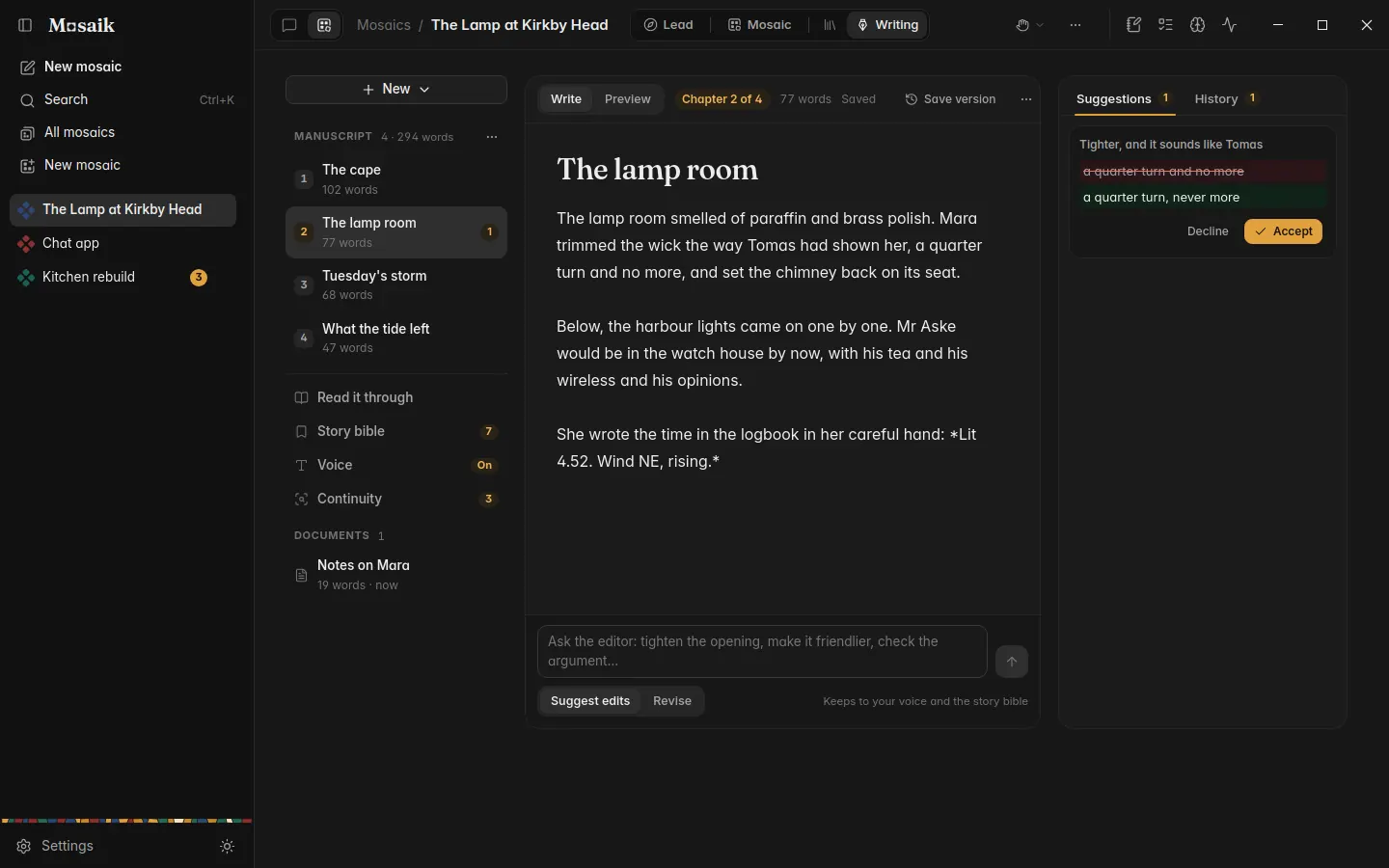
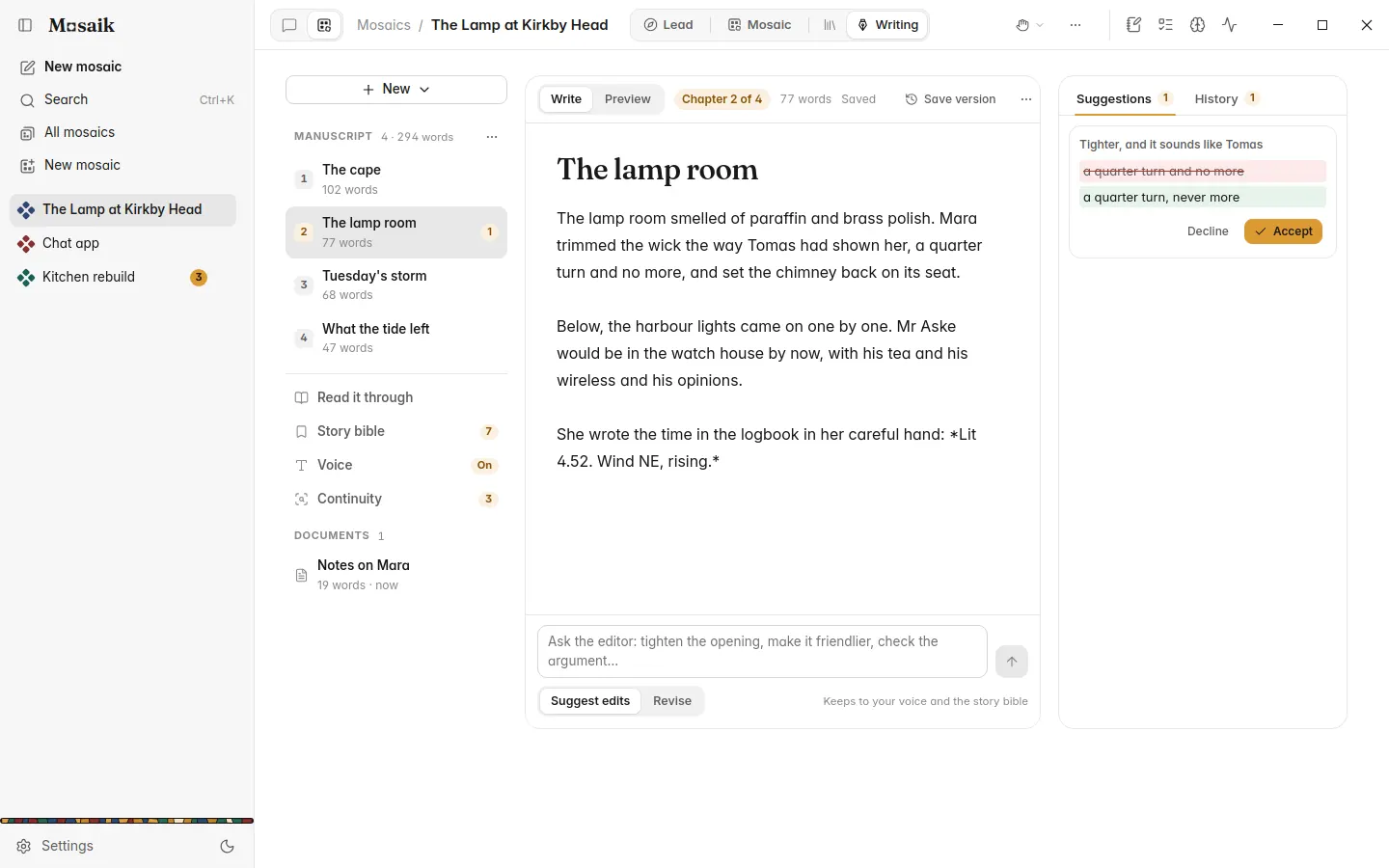
Chapters in order, which you can drag around and read straight through. A story bible of characters, places and facts that every draft follows. Your own voice, learned from pages you pick. Continuity checks list contradictions, each with a fix you can accept as a tracked edit.
- Export to Word, PDF, EPUB or Markdown, with a title page
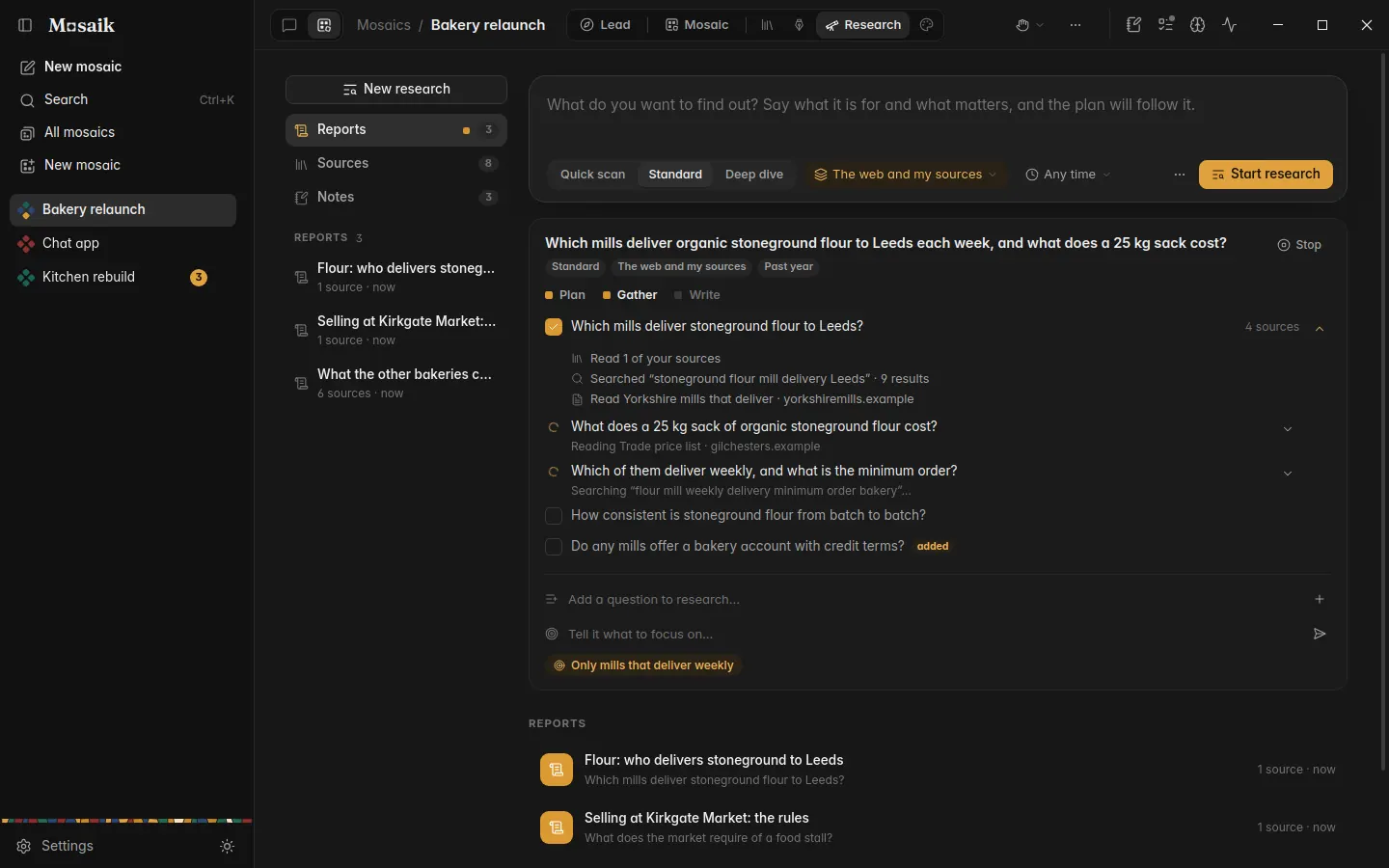
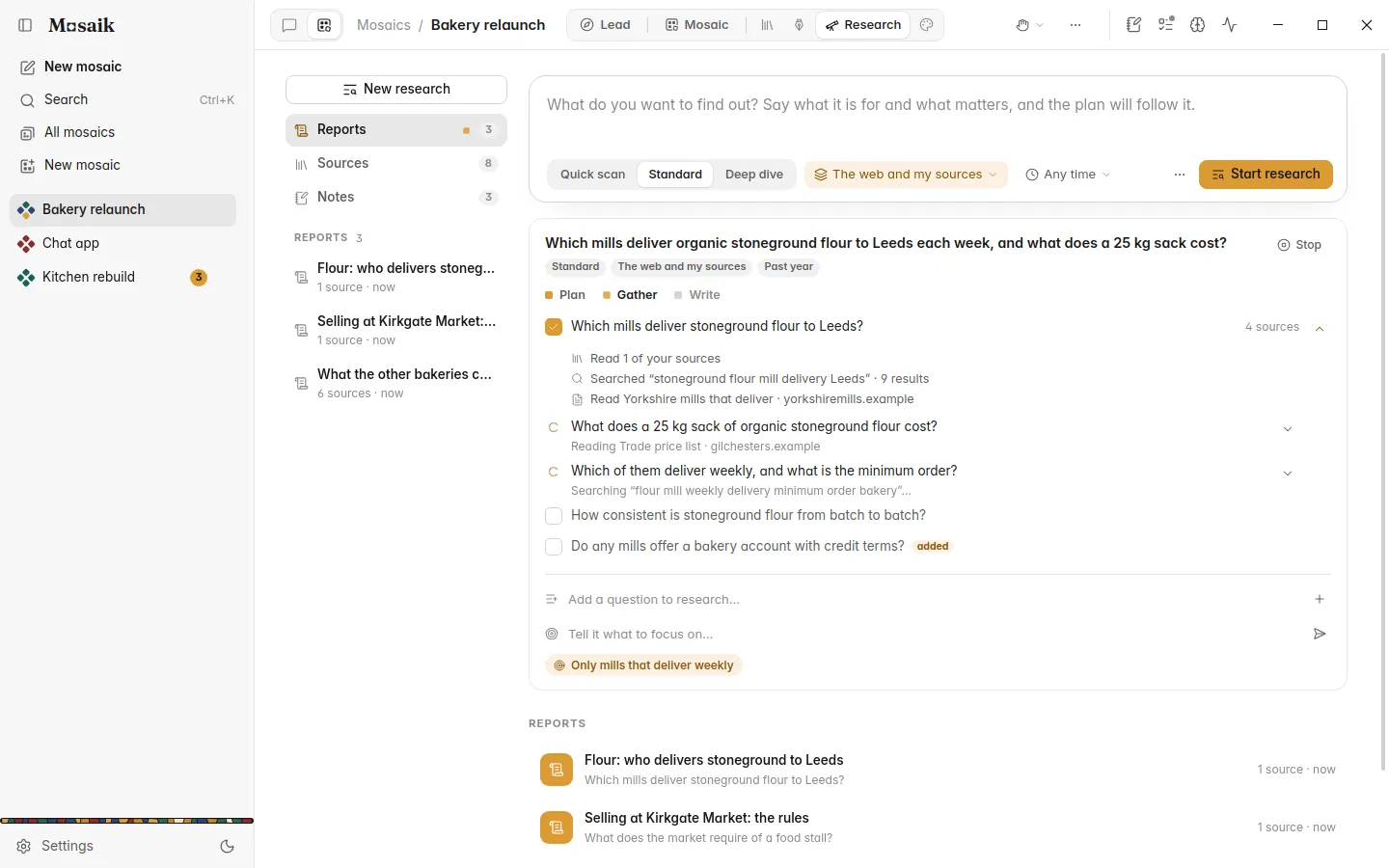
Research you can steer mid-run.
Read the plan before anything is searched. Watch each search and page as it happens, and add a question, drop one or change focus while it runs. Reports come with numbered citations, how each source was found, and what the run cost.
- A source library, with pages you want read every time
- Follow-ups and claim checks that keep the report's citations
Characters who stay the same person.
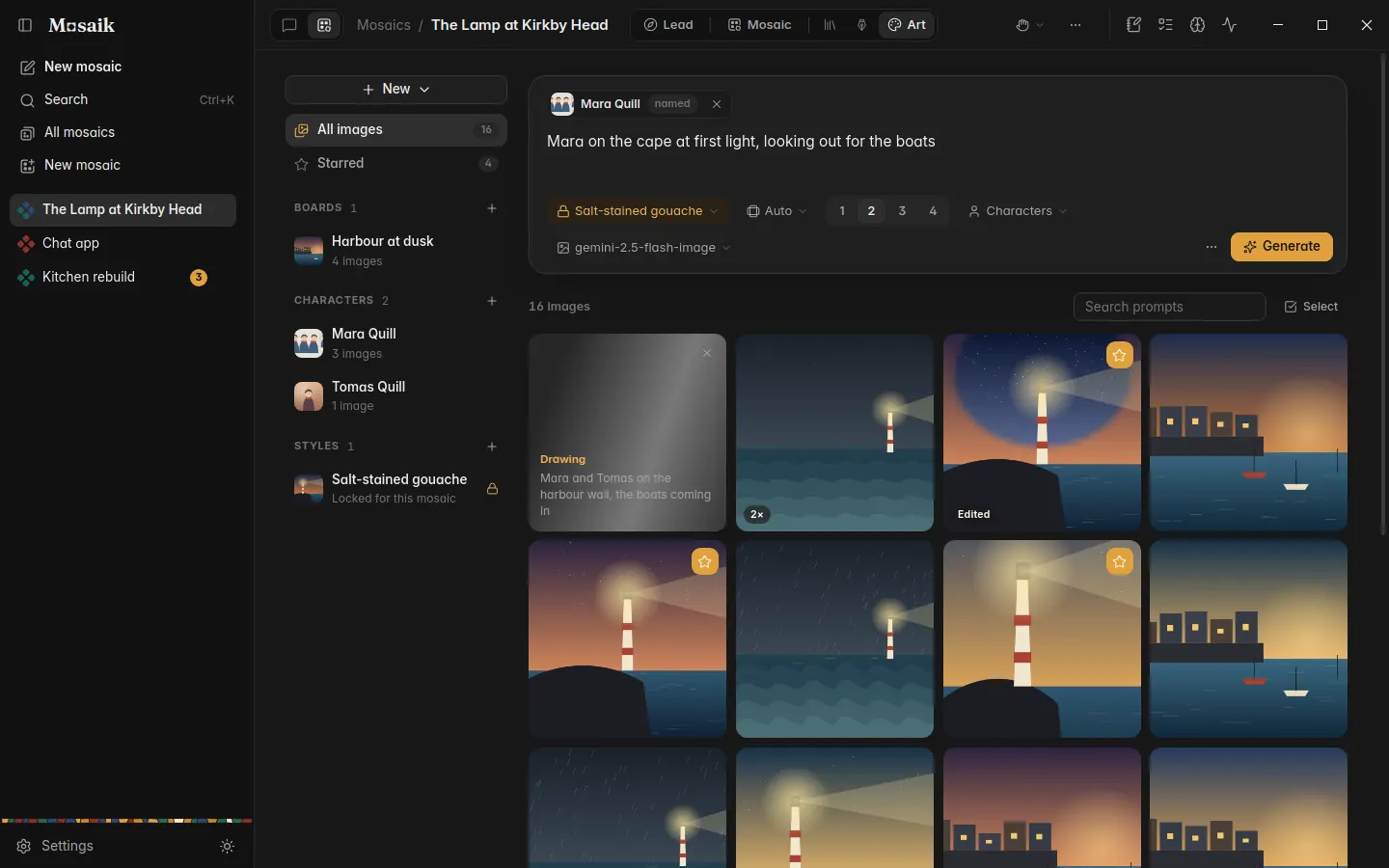
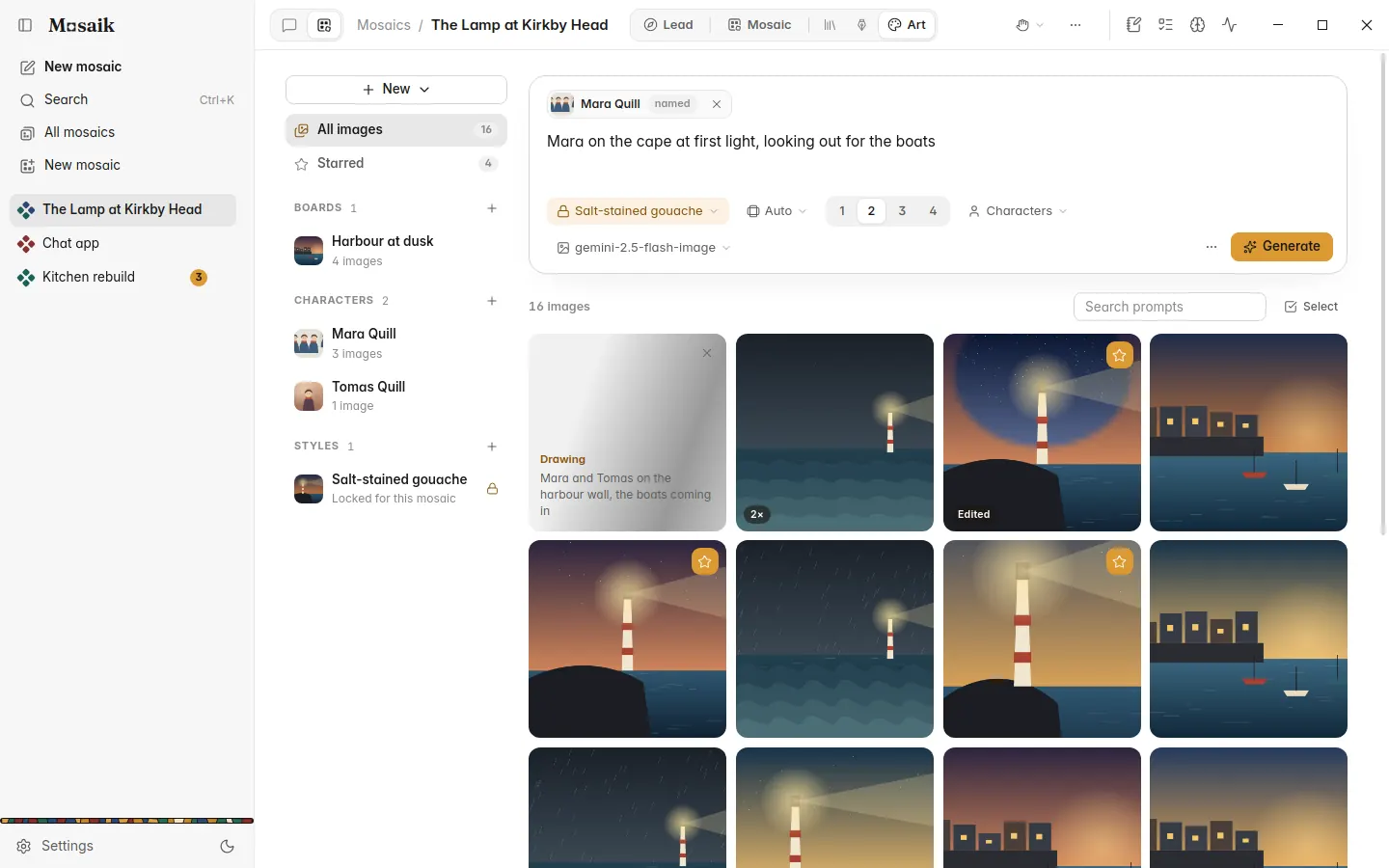
Name a character in a prompt and their notes and reference pictures come along. Lock a style for the whole mosaic and every picture keeps to it. Paint over a region to change it and leave the rest alone.
- Variations, upscaling to 4K and side-by-side compare
- A gallery that remembers the prompt behind every picture
A coding agent on your own project.
Attach a folder and the agent can search it, edit files, run your tests and read its own diff before it reports back. Bigger changes start as a plan you approve. In a git repository each session works on its own branch, and every turn is checkpointed, so one turn or one file can be undone.
- Read-only and test commands run; installs and deletions ask first
- It can open a page it built and look at it
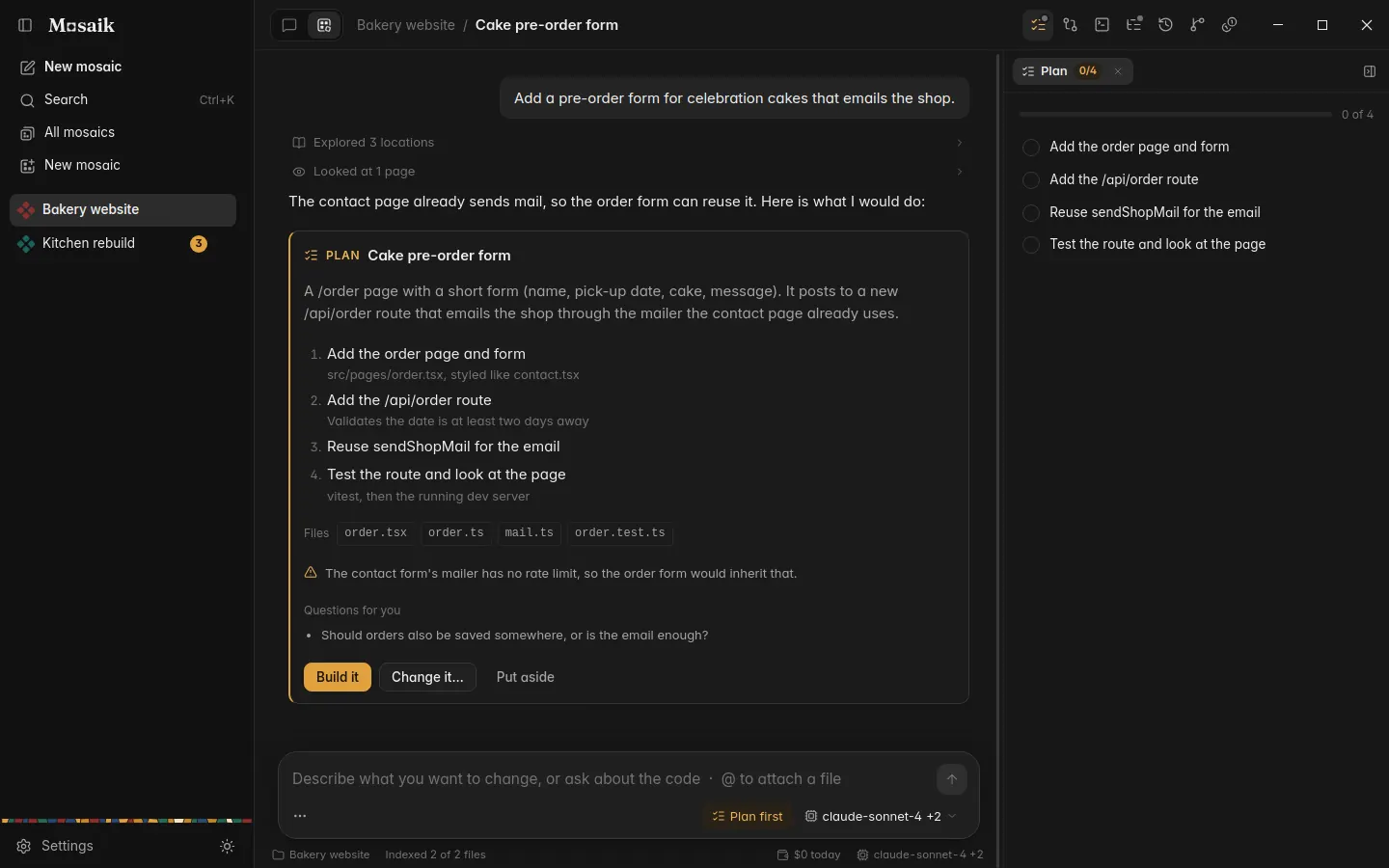
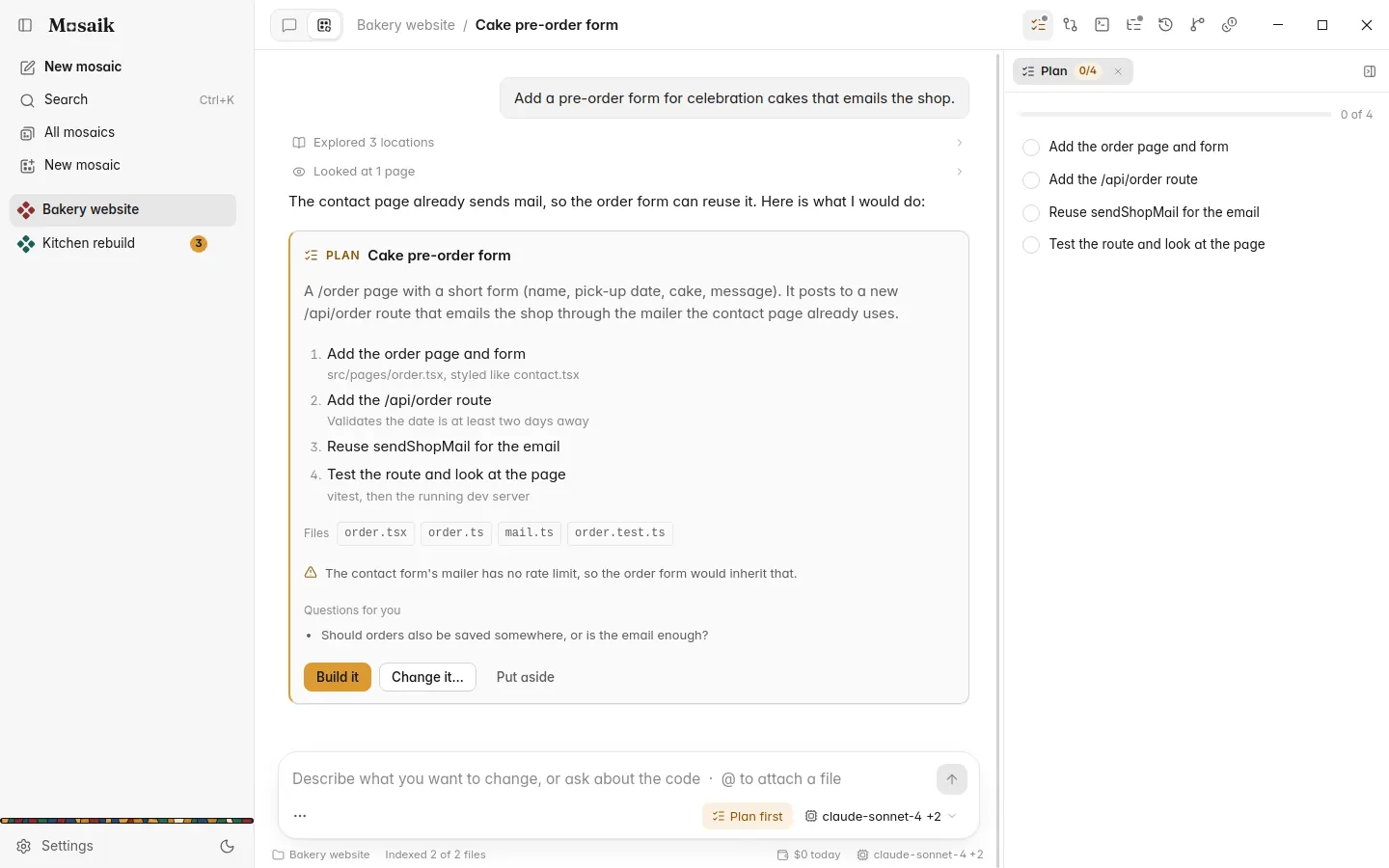
The coding agent edits your files and runs commands in your project. It isn't an operating system sandbox: the command rules and the checkpoints are the safety net.
An add-on. Chat stays free.
Mosaics will cost money, and we'll say how much before it's out. You won't need it to use Chat, which stays free, with every update and no limits from us.
| Chat | Free, now and later. In beta for Windows. |
|---|---|
| Mosaics | An optional paid add-on, coming later. No date yet. |
| Models | Either way you bring your own key, and your provider bills you for what you use. |

Hear when it's out.
Leave your email and we'll tell you when Mosaics arrives, along with the occasional big Mosaik release. A few emails a year, and you can leave at any time.