
Presets
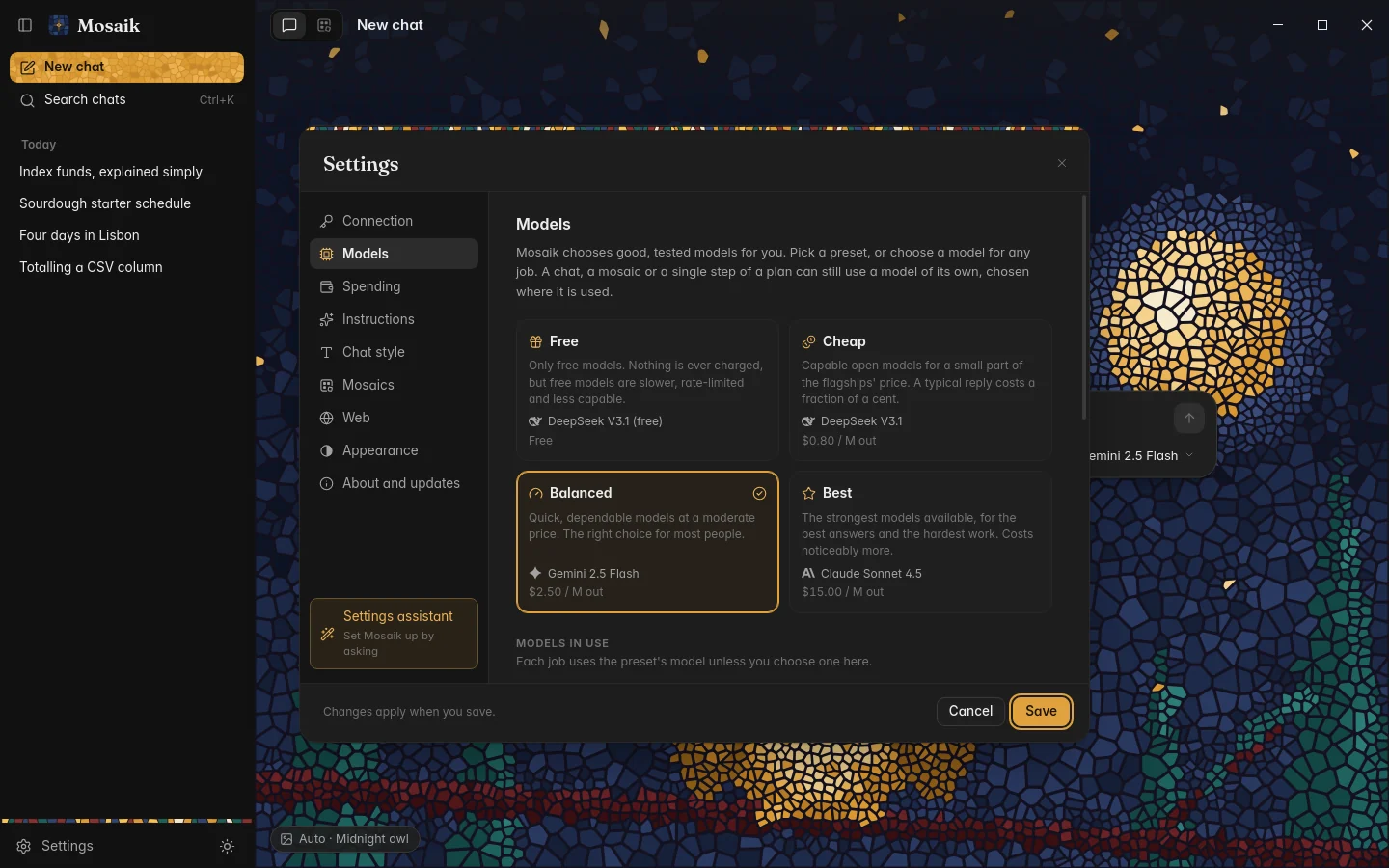
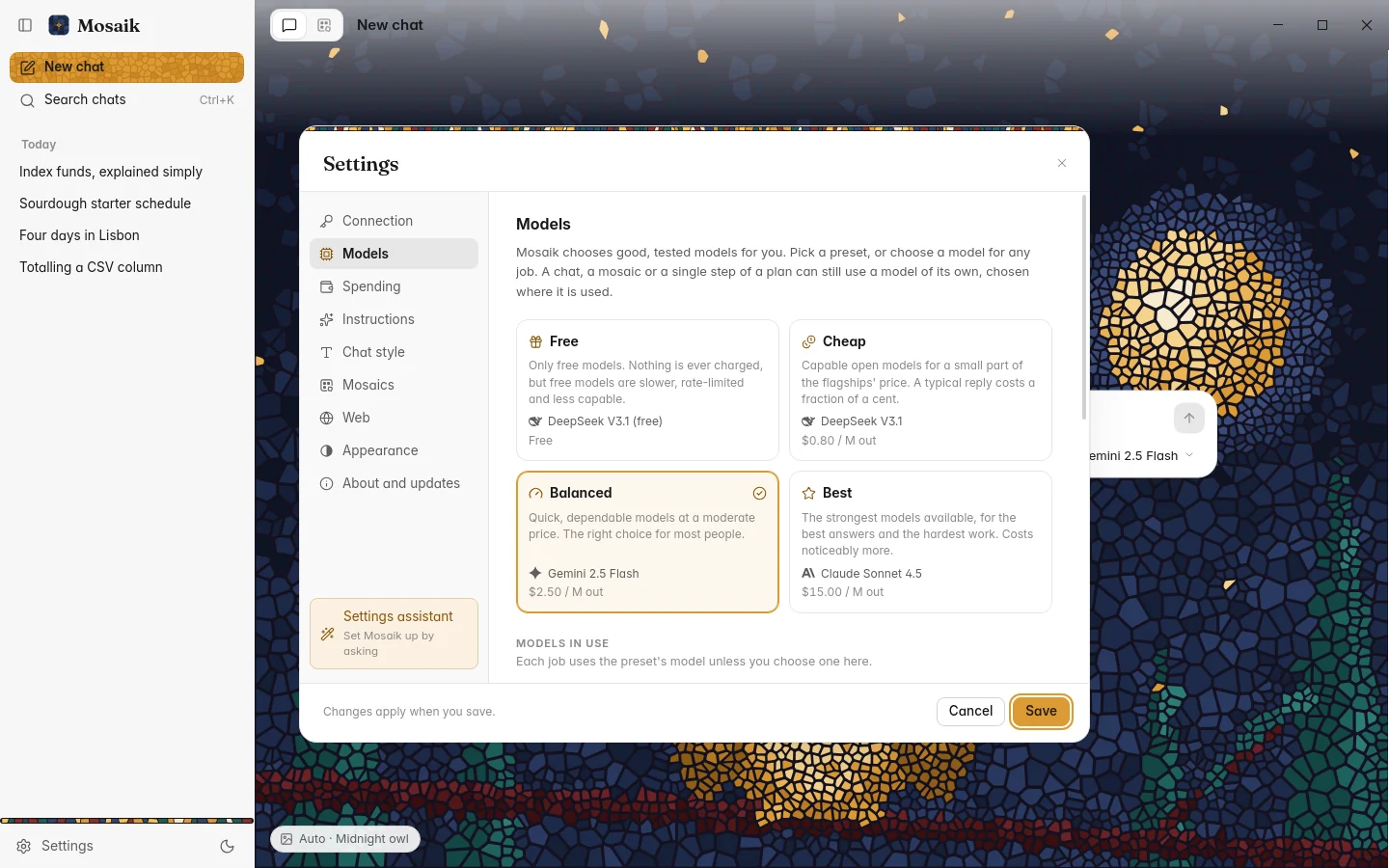
Settings › Models starts with four presets. Each names a family of models for each job Mosaik does, and picks the newest model in that family that your key can use, so a preset keeps up as new models come out.
| Free | Only free models. Nothing is charged, within OpenRouter's daily limits for free models. |
|---|---|
| Cheap | Capable models at a low price. |
| Balanced | The default. Strong models at a sensible price. |
| Best | The strongest models, whatever they cost. |
Each preset shows its models and their prices. You can override the model for any job, which beats the preset, and save your choices as a preset of your own. Picking a preset again clears the overrides.
Changing the model for one chat
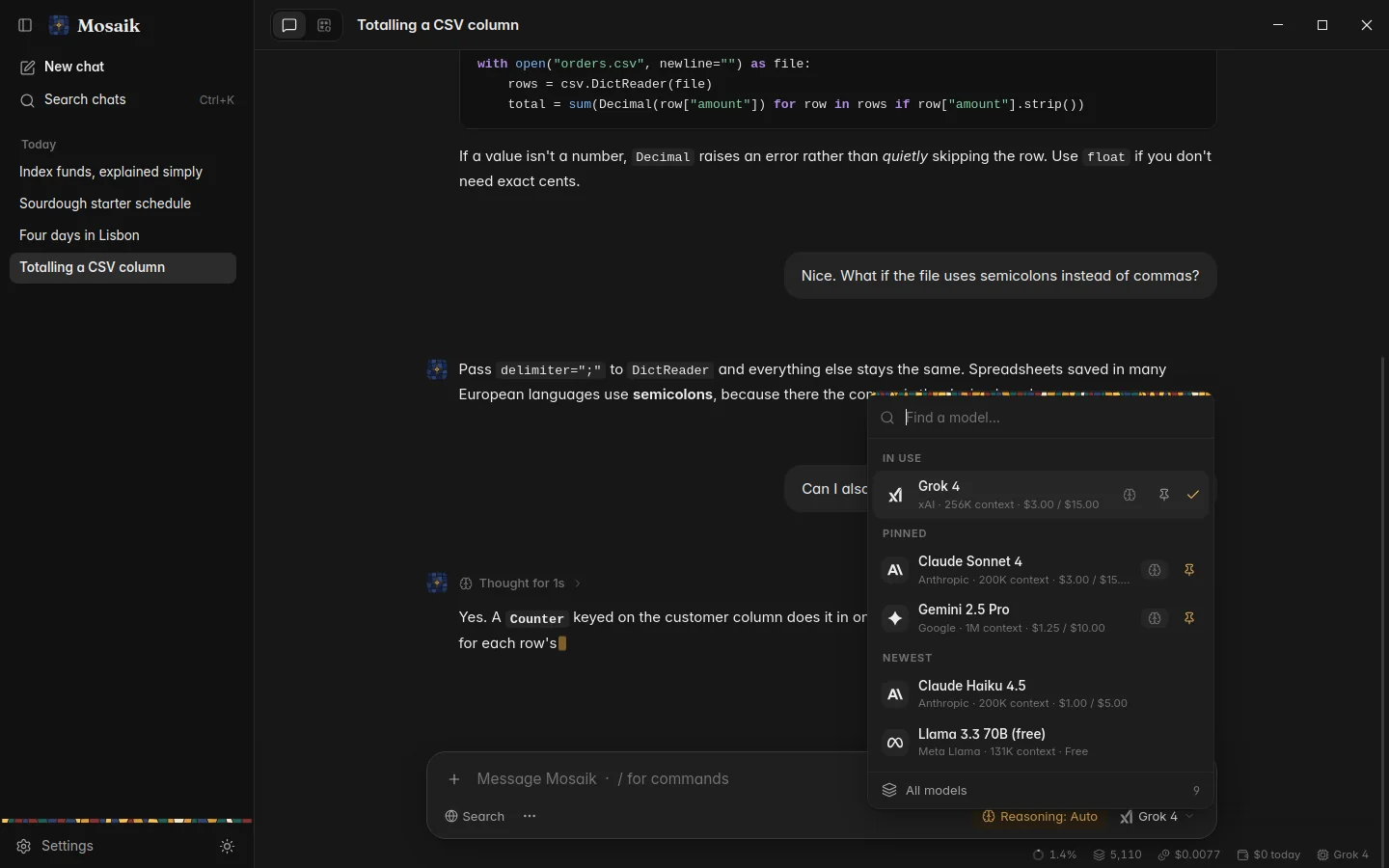
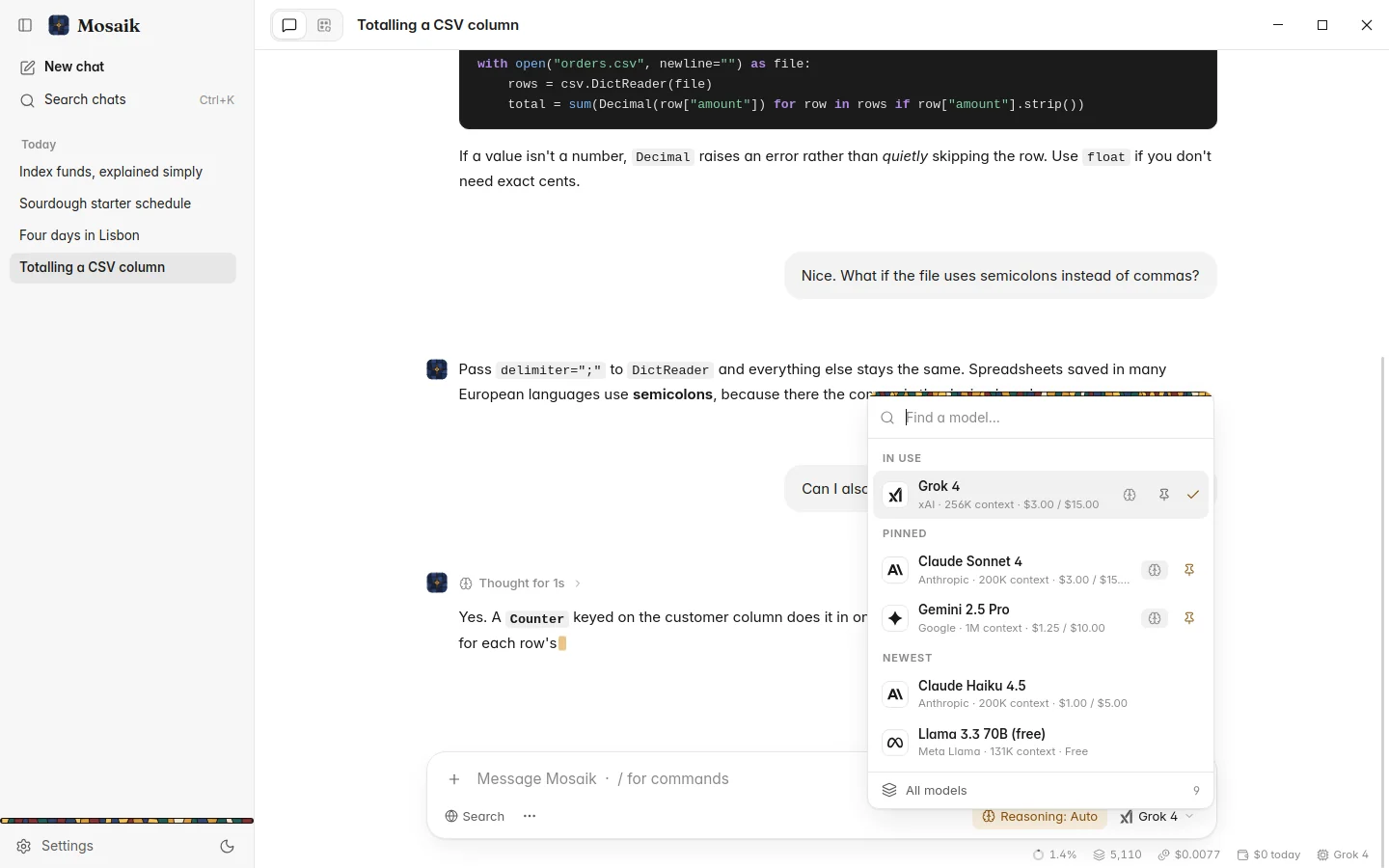
The model button at the right end of the message box changes the model for the open chat. It lists the model in use and your pinned models, and you can type to search. The chat keeps that model until you change it again. New chats start with the preset's chat model.
The model browser
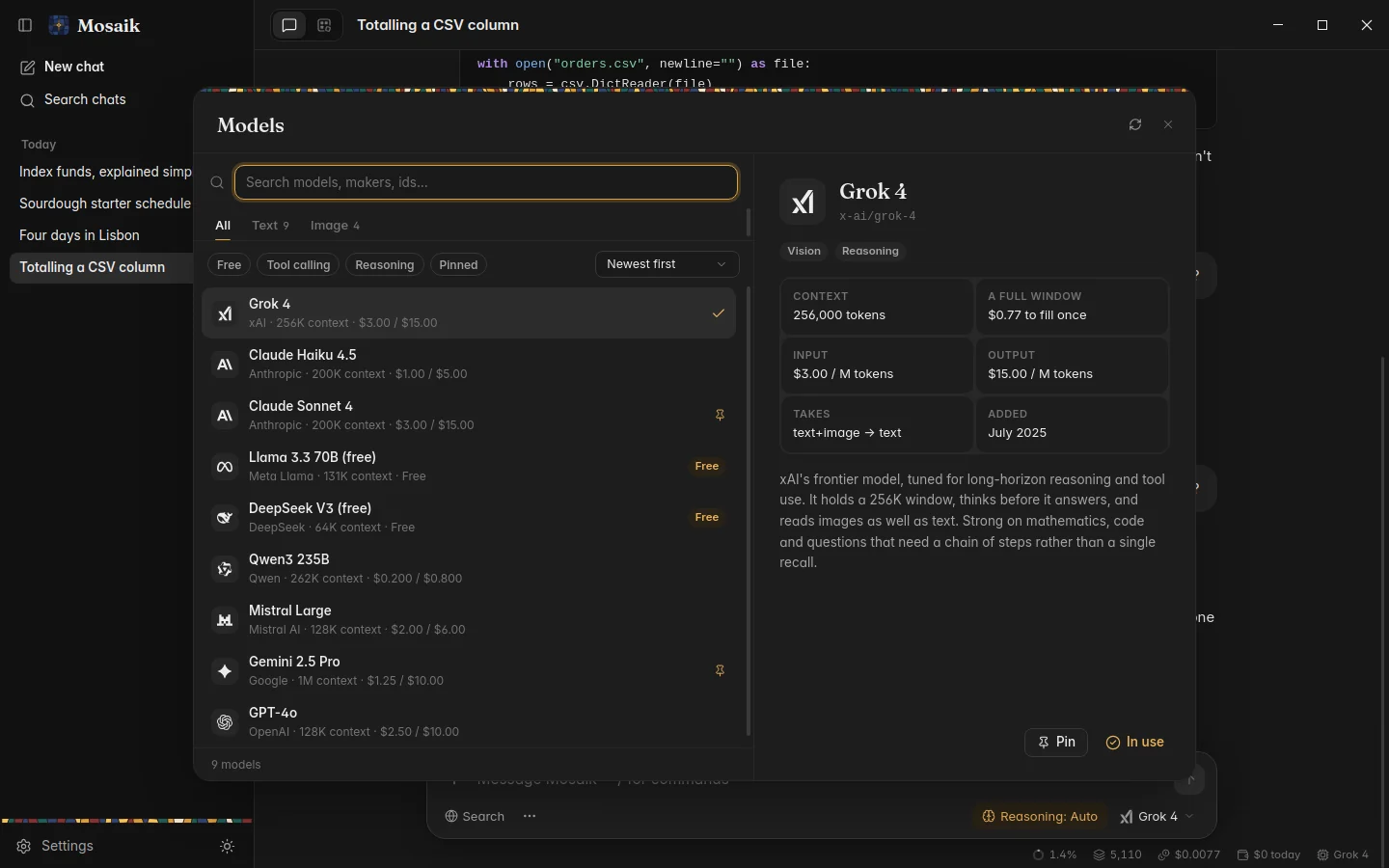
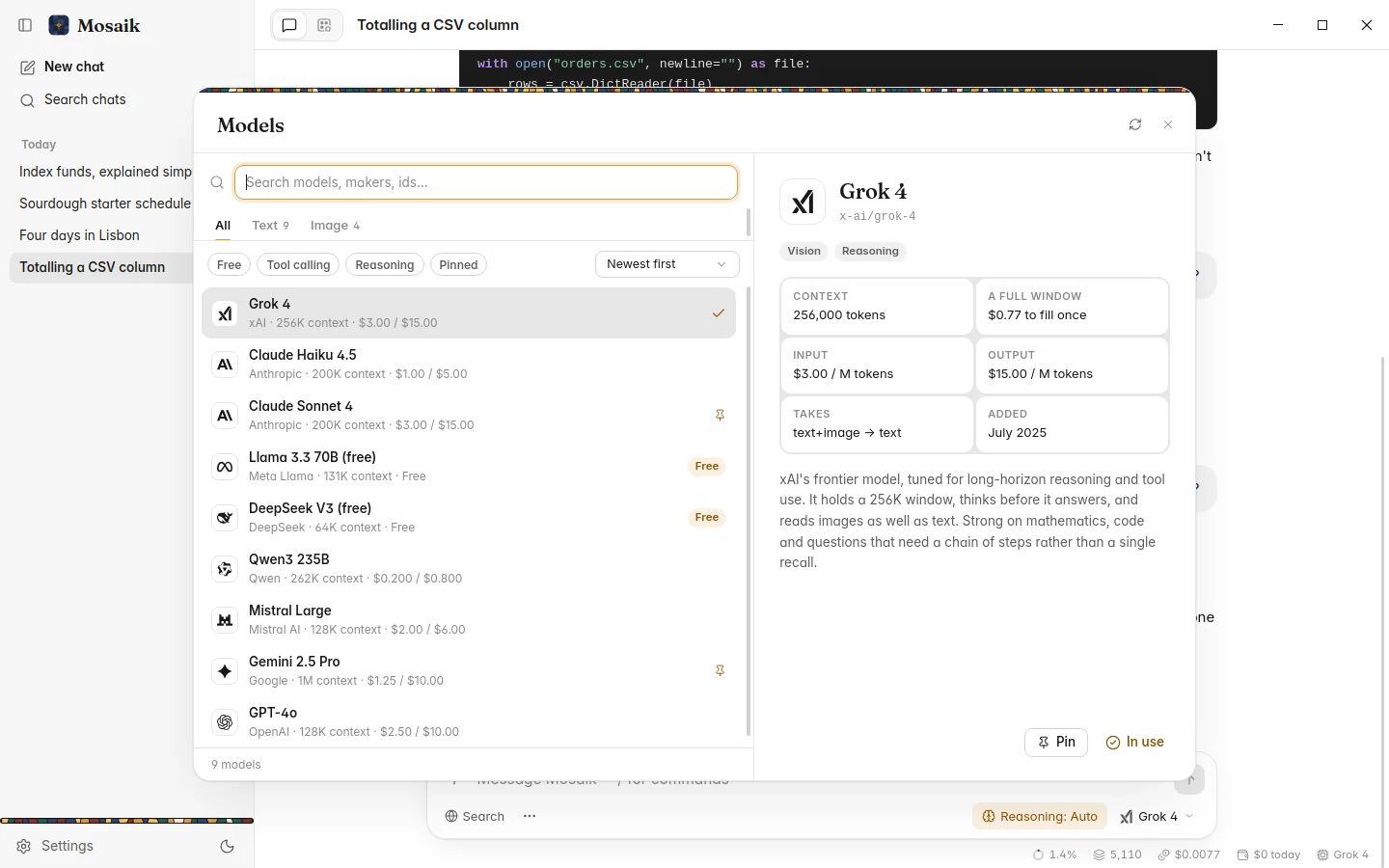
All models, at the foot of the picker, opens OpenRouter's whole list of models. It has a tab for each kind of model (text, image, audio and more), filters for Free, Tool calling, Reasoning and Pinned, and sorts by newest, name, price or context size. Pick a model to see its context window, its prices, what it accepts, when it was added and what it can do: Vision, Audio, Reasoning, or No tools for models that can't use search or the exact tools. Pin the ones you use so they appear in the picker.
Reasoning
Some models can think before they answer. For those, a control next to the model button sets how much:
| Auto | The model decides how hard to think about each question. |
|---|---|
| Off, Low, Medium, High | A fixed effort. More thinking is slower and costs more tokens, and often gives better answers to hard questions. |
The choice is remembered for each model. When a model shares its reasoning, you can read it in the work line above the answer.
Providers
Most models on OpenRouter are served by several companies, at very different speeds. The same model can stream at twenty words a second from one and two hundred from another. Settings › Models › Advanced › Providers chooses how OpenRouter picks:
| Fastest | The default. The quickest provider, usually for a little more money. |
|---|---|
| Balanced | OpenRouter's own choice, which leans towards price. |
| Cheapest | The lowest price. |
The same section can let Mosaik retry with another free model when a free model gives no answer at all. It only switches before any text has arrived, so two models' words are never mixed in one answer.
Testing a model
Recommended models in Settings › Models lists the families Mosaik is tuned for, by price. The Test button beside each runs a small task that needs a tool and checks the model called it and used the result. Worth doing before you rely on a new model for search or sums.